
Introducing global reports on the Global Fishing Watch map
- Release:
- Tags: Improvement, Map, Vessel Viewer
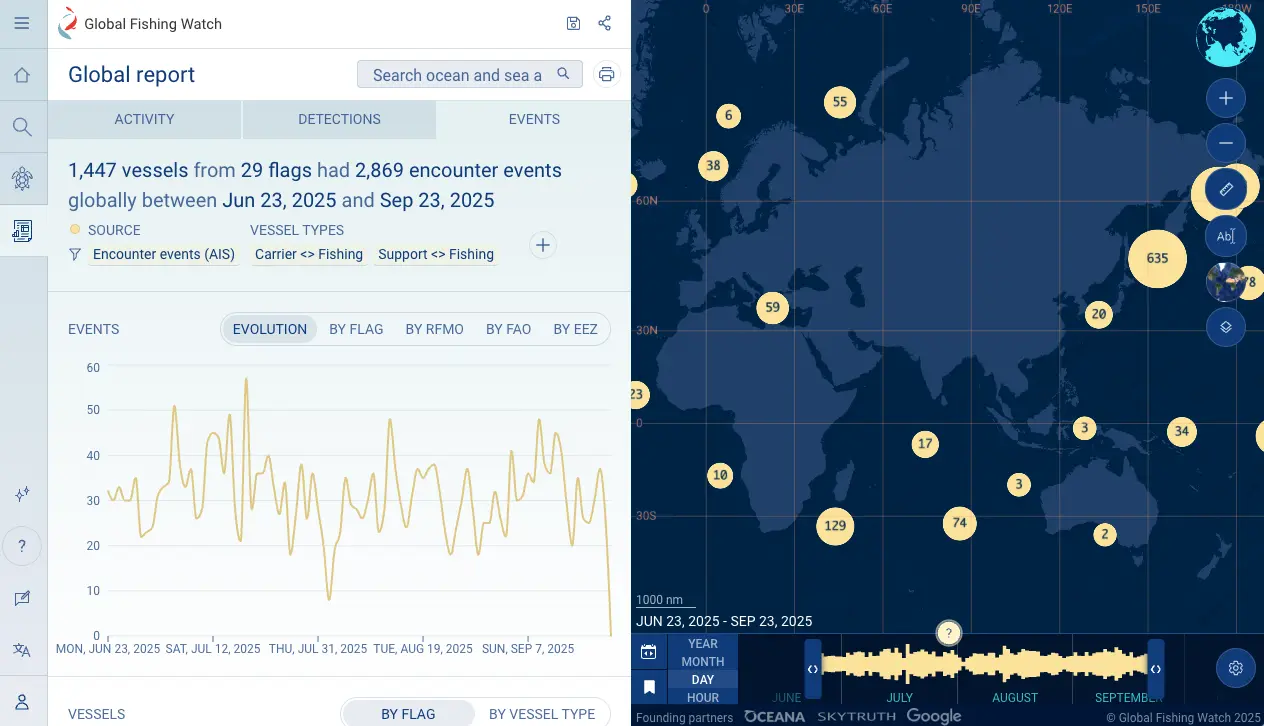
As part of our commitment to making ocean activity more transparent and accessible, Global Fishing Watch has integrated Carrier Vessel Portal features directly into the Global Fishing Watch map.
This update brings one of our earliest products into the Global Fishing Watch platform, refreshed and enhanced for better performance. The integration makes it easier for policymakers, government officials, researchers, journalists and the public to explore global patterns of potential transshipment or encounters, port visits and loitering in one unified tool.
In addition to existing datasets and functions, anyone can now:
Access event layers directly in the map sidebar
- Explore global encounters between vessels, loitering and port visits.
- Apply filters by duration, vessel type, flag, next port and vessel group to understand more about vessel behavioral patterns.
Interact with events on the map
- Click on any event to pin tracks for closer review.
- Use “See more” to move directly from an event to the vessel’s profile.
Explore enhanced vessel profiles
- Access vessel details more quickly from events on the map.
- View next port visits and relevant vessels’ authorization status.
Generate global and area reports
- Create reports for global vessel behavioral patterns or events for specific areas events through the new Highlighted Reports menu.
- Use updated filtering and the new “Events” tab in area reports.
Vessel group analysis updates
- Filter vessel group events reporting by duration, vessel flag, next port visits and areas (i.e. EEZ, RFMO, FAO regions).
- Analyze vessel group AIS coverage in the “Vessels” tab and filter by coverage metric, vessel type and enable vessel list download.
Explore the global report feature on our platform and find our user guide and tutorials on the Global Fishing Watch website. Share feedback through the built-in feedback form in the left sidebar of the map, or add feature requests to our Canny board.
For support, please contact [email protected]
